UserLoginSetup-VLSI EXPERT
Setting up access to VLSI EXPERT machine
Using Command Prompt to launch the TigerVNC viewer
Step 1: Launch command terminal & setup connection
Window users,
a) Launch command terminal using “cmd” and run below command (highlighted in yellow)###Note: You can refer below article - in case you face issue to open command prompt in windows###
In the following command, please replace
7000 with the exact port number as given in credentials
Userid b14n_xxxxx_nnn with userid provided in credentials
b) Provide password credentials shared with you in email
You can copy paste the password but ensure no extra character (like space etc is there). So, you can use either of following ways:
- Either Ctrl+V to paste
- Copy the password and double click the top edges of the command prompt where you see options edit -> Paste
This step is to ensure you paste the password correctly.
After authentication, you will see successful login to prac2 server.
Please keep the command prompt open or minimise it.
Mac users,
- Click on launchPad and in the search bar - serach terminal
- Once terminal open then paste the above command (similar command already has been given to you over email)
- Once it ask for Password then entered corresponding password (provided over emails).
After authentication, you will see successful login to prac2 server.
Please keep the command prompt open or minimise it.(It needs to be kept running for Tiger VNC connection to launch the server)
Step 2: Launching Tiger VNC viewer
- We need to install tigervnc packages on your local system.
To download tigervnc packages click on the link https://sourceforge.net/projects/tigervnc/After clicking on that link page will be open like thisAnd after click on download. And after successfully download then you install this app on your system.
After Completion of downloading and installing you will open the app TigerVNC. It will open likeOpen TigerVNC viewer
Against the VNC server entry, enter localhost:<Portnumber> (example localhost:5912 ) &
press "Connect"
Supply VNC password
Provide your password when the password window shows up asking for your specific password.
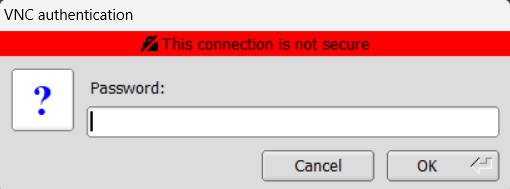 press "OK"
Final View
You will be able to see and access the VNC login screen, like below
Related Articles
Setting-up Putty Environment at VLSI EXPERT - Window User
For Windows users: Step 1: Download Putty Click on the link Download PuTTY -Download PuTTY - a free SSH and telnet client for Windows And if you don’t know your computer architecture then please, first check the architecture. Window -> System -> ...Setting-up Putty Environment for Simple login (No X Windows) at VLSI EXPERT - Window User
For Windows users: Step 1: Download Putty Click on the link Download PuTTY -Download PuTTY - a free SSH and telnet client for Windows And if you don’t know your computer architecture then please, first check the architecture. Window -> System -> ...List of Essential Linux commands - VLSI Expert
List of Essential Linux commands Basic Commands pwd → Print working directory. ls → List files and directories. cd directory_name → Change directory. mkdir new_directory → Create a new directory. rmdir empty_directory → Remove an empty directory. cp ...Essential Vim command - VLSI Expert
Essential Vim command Basic Navigation & Editing i → Enter insert mode before the cursor. I → Enter insert mode at the beginning of the line. a → Enter insert mode after the cursor. A → Enter insert mode at the end of the line. o → Open a new line ...Setting-up Putty Environment at VLSI EXPERT - MAC User
Mac Users Mac Users already have built-in terminal utility, so putty installation and configuration is not required. For X-Server, the utility to use is XQuartz (equivalent to XMing utility in windows). Step 1: Configure XQuartz Download Xquartz and ...